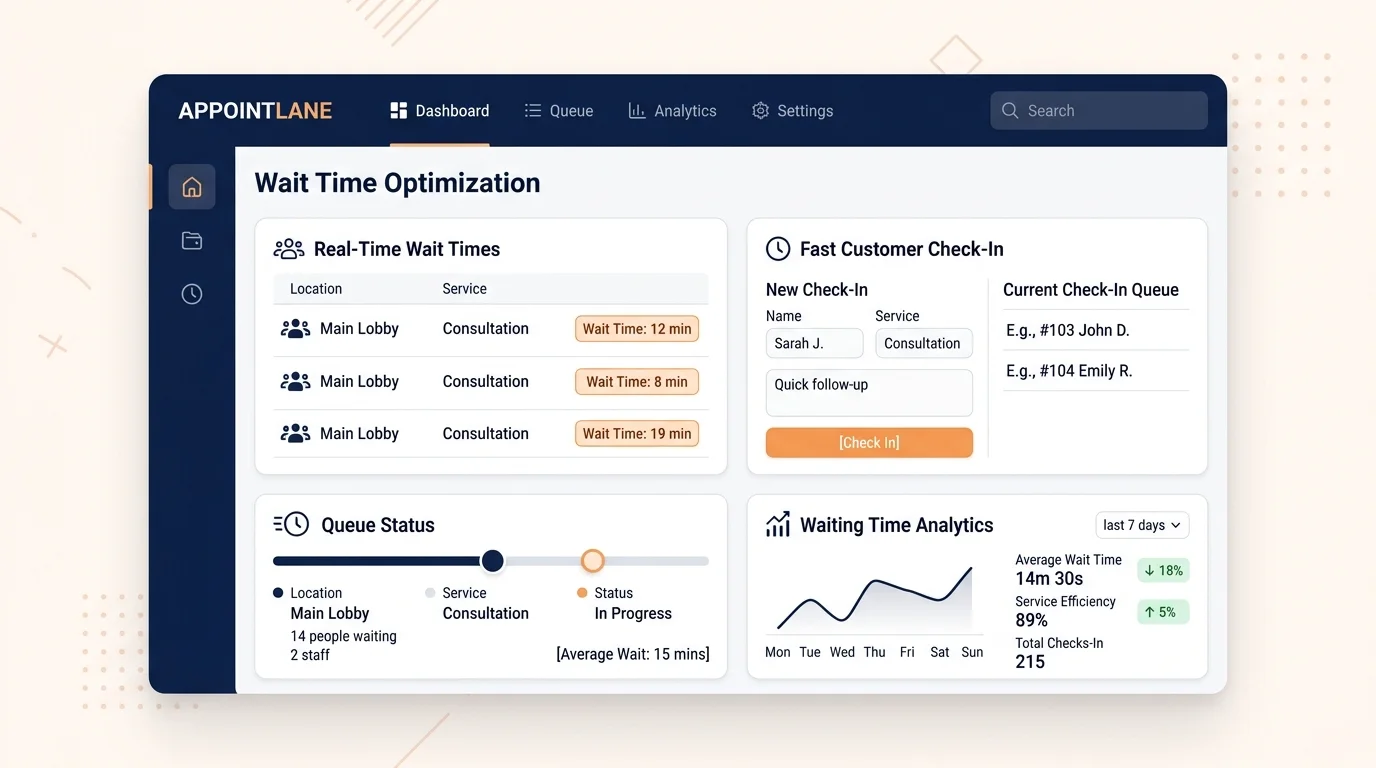
Customer waiting time is one of the most common frustrations in service businesses. When people wait longer than expected, they get restless, ask the front desk repeatedly, and sometimes leave. Reducing waiting time is not only about serving people faster. It is also about making the wait clear, visible, and manageable.
AppointLane helps with both sides of that problem. It gives customers a clearer experience and gives your team better tools to manage the flow of visits. This guide explains the practical ways you can reduce waiting time using AppointLane’s verified features.
Key Takeaways
- Waiting time has two parts: the real wait and the perceived wait. Both matter.
- AppointLane reduces real waiting time through online appointment booking, walk-in queue management, and staff scheduling.
- It reduces perceived waiting time through notifications, wait estimates, and clear updates.
- Combining appointments and walk-ins in one workspace helps staff avoid delays caused by double bookings and confusion.
- Reports show where waiting time is actually building up, so you can fix the cause.
Understand What Waiting Time Actually Is
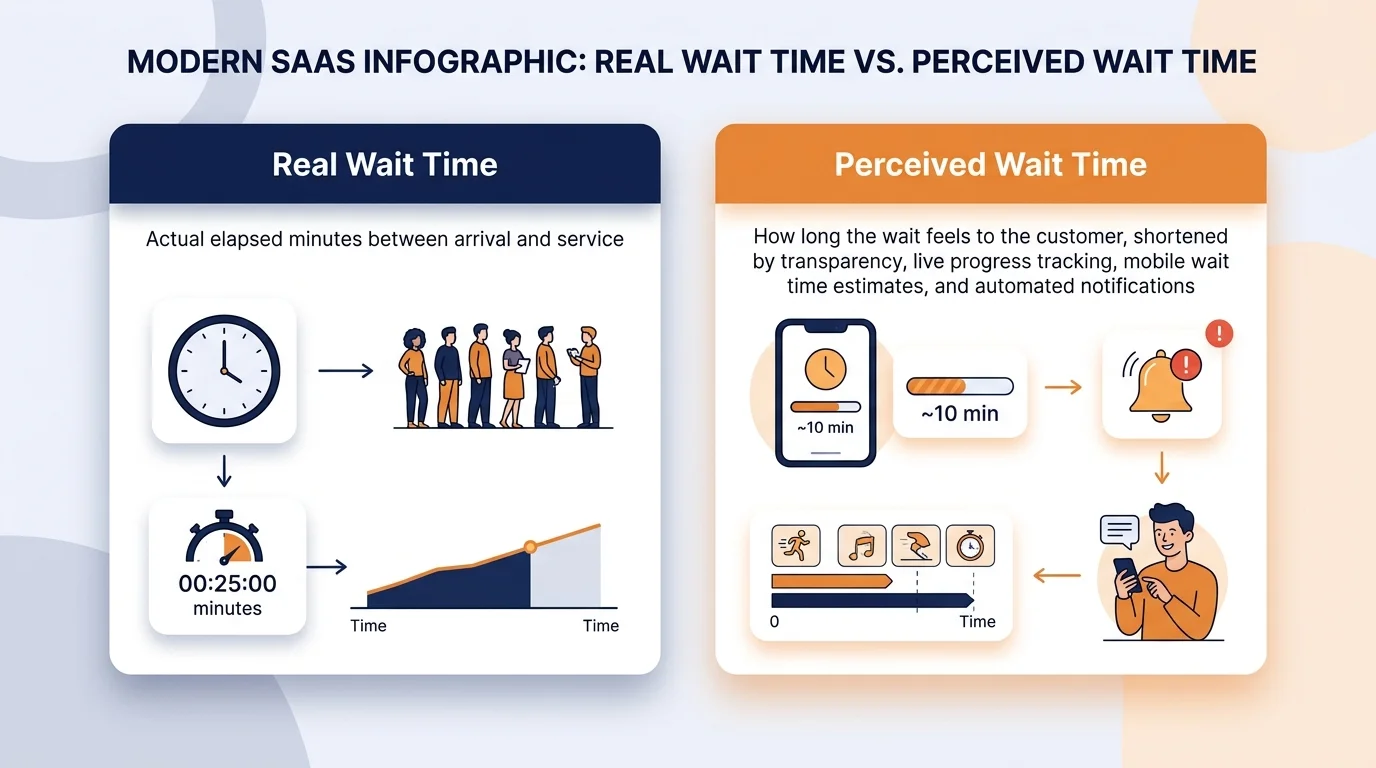
Before reducing waiting time, it helps to separate it into two parts:
- The real wait is the actual time between a customer arriving and being served.
- The perceived wait is how long the wait feels to the customer. A 20-minute wait with clear updates can feel shorter than a 10-minute wait with no information at all.
Most businesses focus only on the real wait. AppointLane helps you improve both, because a customer who knows what is happening is far less frustrated than one who is left guessing.
1. Let Customers Book Ahead
The simplest way to reduce waiting time is to reduce the number of people who have to wait at all.
With AppointLane’s online appointment booking system, customers choose a time that suits them and arrive when it is their turn. There is no queue, no uncertainty, and no crowding at the front desk.
This is especially useful for:
- Consultations that need preparation
- Services with fixed durations
- Businesses with limited staff or space
When more customers use online appointment booking to book ahead, fewer people are waiting at any given moment.
2. Move Walk-Ins into a Virtual Queue
For customers who arrive without a booking, a physical line is the worst option. People stand, crowd the entrance, and ask how long it will be.
AppointLane’s walk-in queue management lets customers join the queue through a web browser. They get a place in line and can wait comfortably instead of standing in a queue (learn more in our guide to what is walk-in queue management).
This does two things:
- It reduces crowding at your premises.
- It gives customers a clear position, which reduces the perceived wait.
No app download is needed, so customers can join quickly on arrival.
3. Show an Estimated Wait
Uncertainty makes waiting feel longer. When a customer has no idea how long they will wait, every minute feels slow.
AppointLane’s waiting-time management gives staff visibility into how long each customer has been waiting. Customers receive notifications with updates, so they know when their turn is near.
Even a rough estimate helps. A customer who is told “about 15 minutes” is far more patient than one who is told nothing.
4. Send Notifications so Customers Do Not Have to Ask
A large part of perceived waiting time comes from repeated questions: “How much longer?” “Am I next?” “Did you forget me?”
AppointLane’s customer notifications handle this automatically. Customers receive updates when their turn is approaching, so they do not have to keep checking with staff.
This reduces pressure on your front desk and gives customers more confidence in the process.
5. Use Reminders to Reduce No-Shows
No-shows do not just waste a slot. They also slow down the customers who do arrive, because staff time gets reshuffled.
AppointLane’s automated appointment reminders send customers a nudge before their visit. Fewer no-shows means the schedule runs closer to plan, which keeps waiting time down for everyone else.
6. Manage Appointments and Walk-Ins in One Place
When appointments and walk-ins live in separate systems, staff waste time switching screens and making mistakes. Double bookings happen, and someone ends up waiting longer than they should.
AppointLane puts appointments and walk-ins in one workspace. Staff see both flows at once, so they can assign people correctly and avoid delays caused by confusion. Discover how to manage appointments and walk-ins together for seamless operations.
This is one of the most practical ways to reduce waiting time, because it removes the small inefficiencies that add up over a busy day. For a strategic comparison, read our breakdown of appointments vs walk-ins.
7. Use Waitlists to Fill Gaps
Empty slots are wasted capacity. When a customer cancels, that time could have gone to someone else.
AppointLane’s waitlists let customers register interest when their preferred times are full. If a slot opens, it can be offered to someone on the list. This keeps your schedule fuller and reduces the number of people waiting for another chance.
8. Get Staff and Availability Right
Waiting time often comes down to a simple mismatch: too many customers for the staff available at that moment.
AppointLane’s staff and availability management lets you define working hours and assign staff to services. This makes it easier to match capacity to demand, so customers are not left waiting because the right person was not available.
9. Collect Intake and Documents Before the Visit
Time spent filling out forms at the front desk is time a customer spends waiting. It also delays the customers behind them.
AppointLane’s client intake and document collection lets you gather information before the visit. When the customer arrives, the paperwork is already done, and the visit can start sooner.
10. Take Payments at Booking
Payment at the front desk slows everything down. It also adds friction for the customer.
AppointLane’s appointment payments let customers pay at the time of booking. When they arrive, they can go straight to their service instead of queuing to pay.
11. Review Reports to Find the Real Causes
Waiting time usually has a pattern. Some hours are busier than others. Some services take longer than expected. Some staff get overloaded.
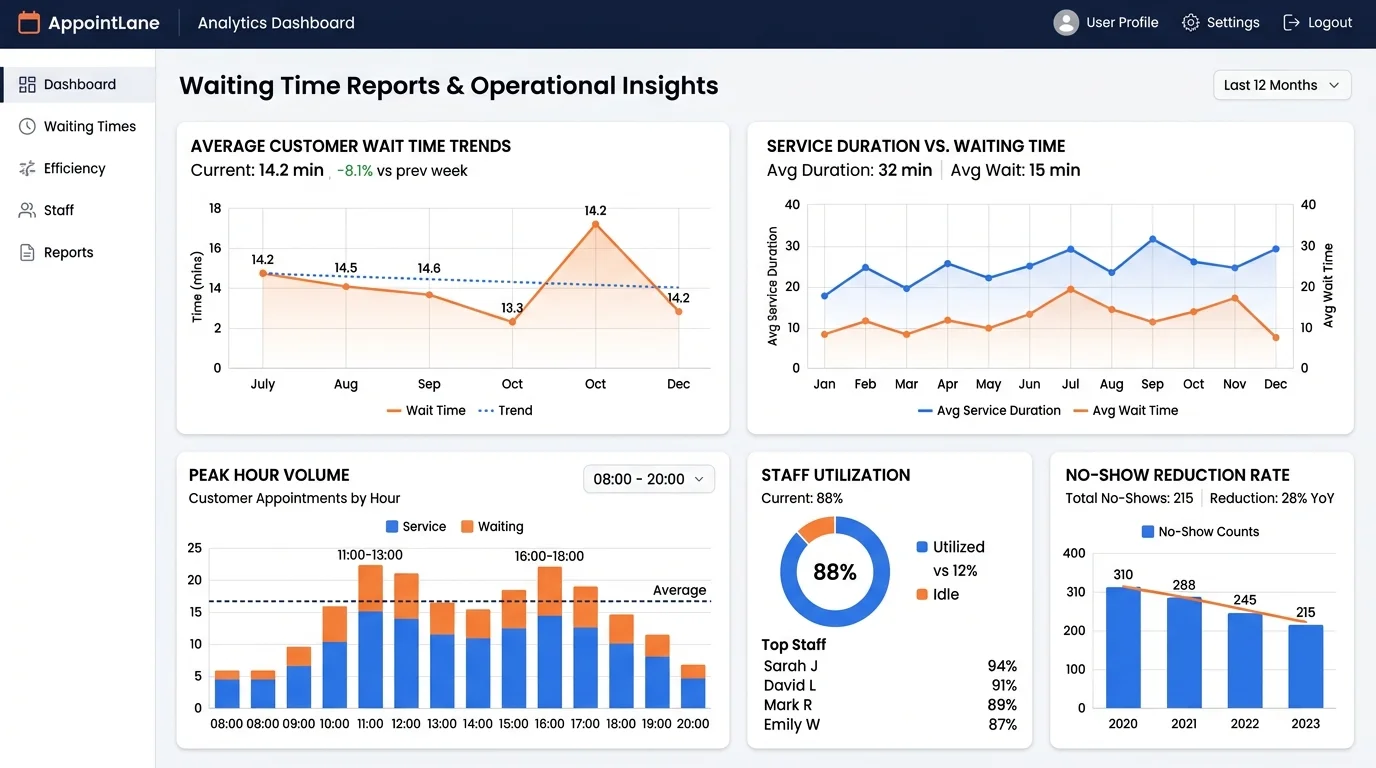
AppointLane’s reports and operational analytics show how appointments, walk-ins, and waiting time are trending. With that information, you can adjust staffing, service lengths, or booking rules to fix the cause rather than the symptom.
12. Sync with Your Calendar Tools
If your team has to check two calendars, delays happen. Calendar integrations let AppointLane appointments appear in the tools your team already uses, so there is one less step in the day.
Summary of Waiting Time Reduction Strategies
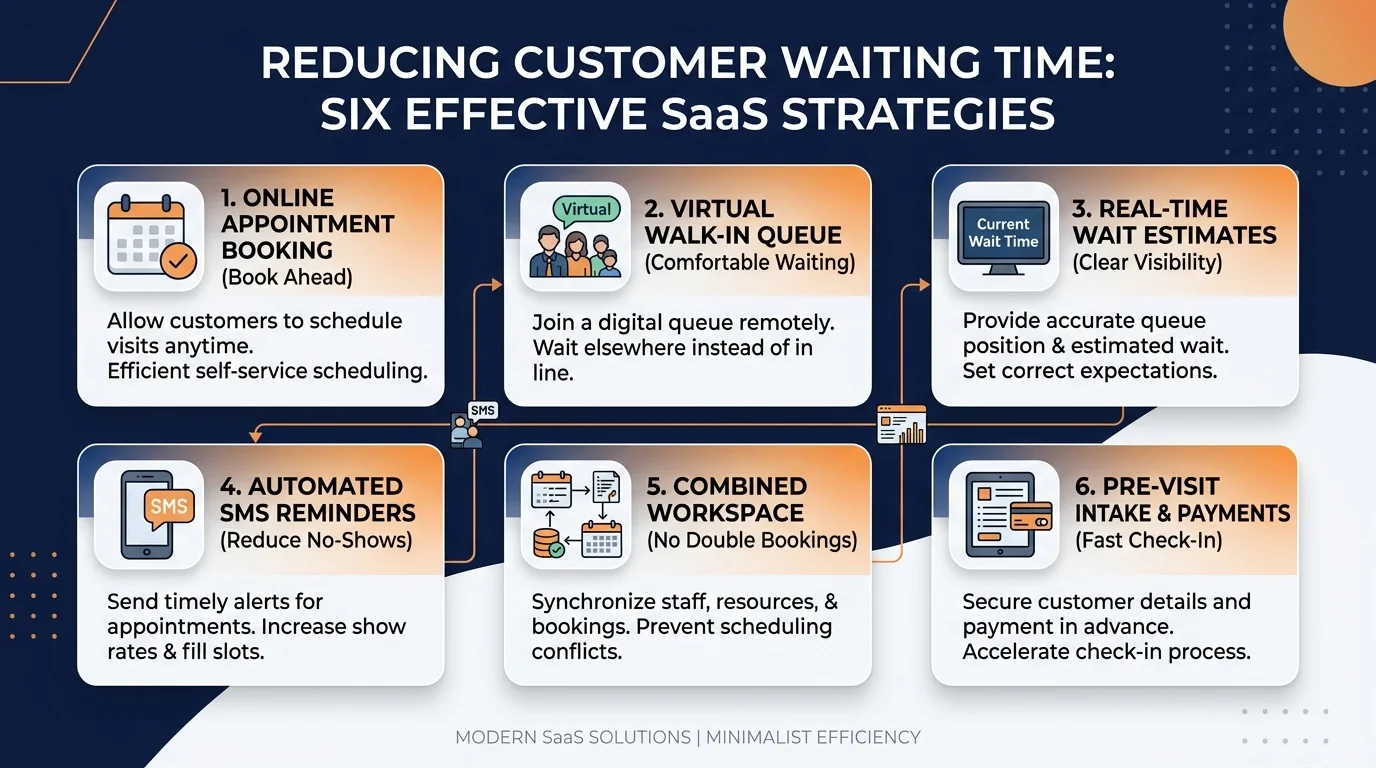
| Action | How AppointLane helps |
|---|---|
| Book ahead | Online appointment booking |
| Manage walk-ins | Walk-in queue management |
| Show the wait | Waiting-time management |
| Keep customers informed | Customer notifications |
| Reduce no-shows | Appointment reminders |
| Avoid double bookings | Appointments + walk-ins in one workspace |
| Fill empty slots | Waitlists |
| Match capacity to demand | Staff and availability management |
| Save front-desk time | Client intake and document collection |
| Speed up checkout | Appointment payments |
| Find the cause | Reports and operational analytics |
| Avoid calendar confusion | Calendar integrations |
Common Mistakes That Increase Waiting Time
It is worth naming the habits that make waiting worse, because avoiding them is half the work:
- Running appointments and walk-ins in separate systems. This causes double bookings and confusion.
- Keeping customers in the dark. Silence makes waits feel longer.
- Letting paperwork pile up at the front desk. It slows every visit after it.
- Not tracking wait times. If you do not measure it, you cannot fix it.
- Ignoring peak patterns. Staffing the same way all day usually means waiting at the busiest hours.
Whether you run a clinic looking to reduce waiting time for clinics or need tailored queue management for salons, eliminating these bottlenecks transforms the customer experience.
Reducing customer waiting time is not only about serving people faster. It is about removing the confusion, delays, and silence that make waiting feel worse than it is. AppointLane helps on both fronts: it keeps the schedule moving and keeps customers informed.
If waiting time is a recurring problem in your business, the combination of appointment booking, walk-in queue management, notifications, and reporting is a practical place to start. You can book a demo of AppointLane or start a 14-day free trial to begin optimizing your customer visits today.
Frequently Asked Questions
How does AppointLane reduce customer waiting time?
It reduces real waiting time through appointment booking, queue management, and staff scheduling, and it reduces perceived waiting time through notifications and wait estimates.
Can AppointLane show customers how long they will wait?
Yes. AppointLane includes waiting-time management and customer notifications, so customers know when their turn is near.
Do customers need an app to join the queue?
No. Customers can join queues, book appointments, receive updates, and manage visits through a web browser.
Can reminders reduce no-shows?
Yes. Appointment reminders help customers remember their visit, which keeps the schedule running closer to plan.
Does AppointLane handle both appointments and walk-ins?
Yes. It combines online appointment booking and walk-in queue management in one workspace.
Can I see reports on waiting time?
Yes. AppointLane includes reports and operational analytics covering appointments, walk-ins, and waiting trends.
Is this useful for small businesses?
Yes. It is used by law firms, accountants, consultants, clinics, salons, and other service businesses.
Does it work across multiple locations?
Yes. AppointLane supports multiple locations.