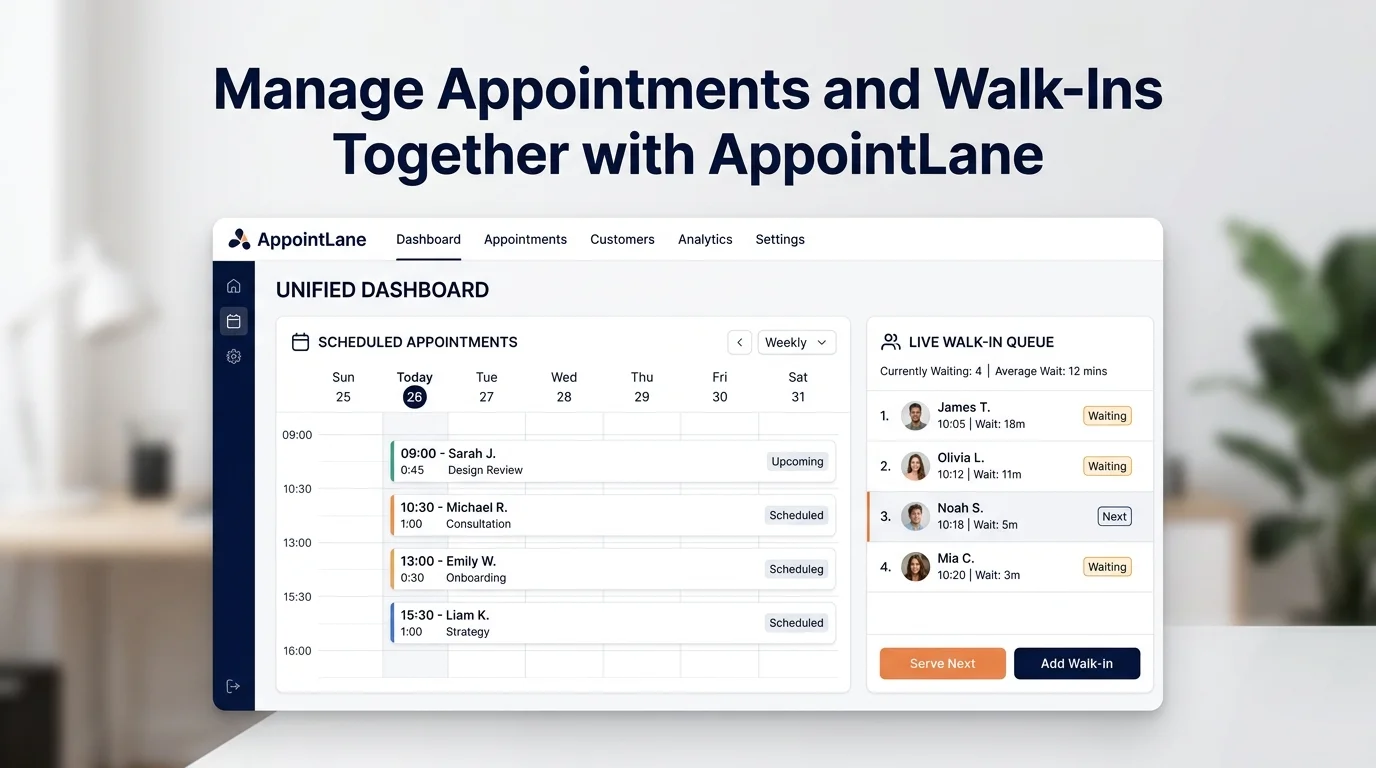
Running a modern service business means serving two distinct groups of customers every day: those who plan ahead and book an appointment, and those who walk in unannounced expecting prompt service. When these two flows are managed in separate systems—a calendar on one screen and a paper sign-in sheet or buzzer system on another—operational chaos inevitably follows.
AppointLane solves this by unifying appointment scheduling and live walk-in queue management into a single operational workspace. Front-desk teams gain real-time visibility over scheduled arrivals, active waiting visitors, and staff capacity without sacrificing the distinct promises made to each customer group.
Key Takeaways
- Separate systems create capacity conflicts: Operating disconnected booking calendars and walk-in buzzers leads to double bookings, delayed appointments, and crowded lobbies.
- Two different promises, one shared reality: An appointment reserves capacity for a specific time; a walk-in queue preserves a fair order of service. Both compete for the exact same staff, rooms, and equipment.
- Dynamic wait-time transparency: Walk-in visitors track live queue position and estimated wait times from their mobile browser without downloading an application.
- Atomic reservation checks: AppointLane checks capacity twice—at slot selection and final confirmation—ensuring incoming walk-ins never overwrite a booked client's slot.
- Total staff operational control: Front-desk operators can call, recall, transfer, skip, or hold tickets while tracking attendance and late arrivals in real time.
The Dual-Stream Dilemma in Service Businesses
In almost every service industry—from healthcare clinics and legal practices to automotive repair shops, salons, and public service centers—businesses experience unpredictable demand swings.
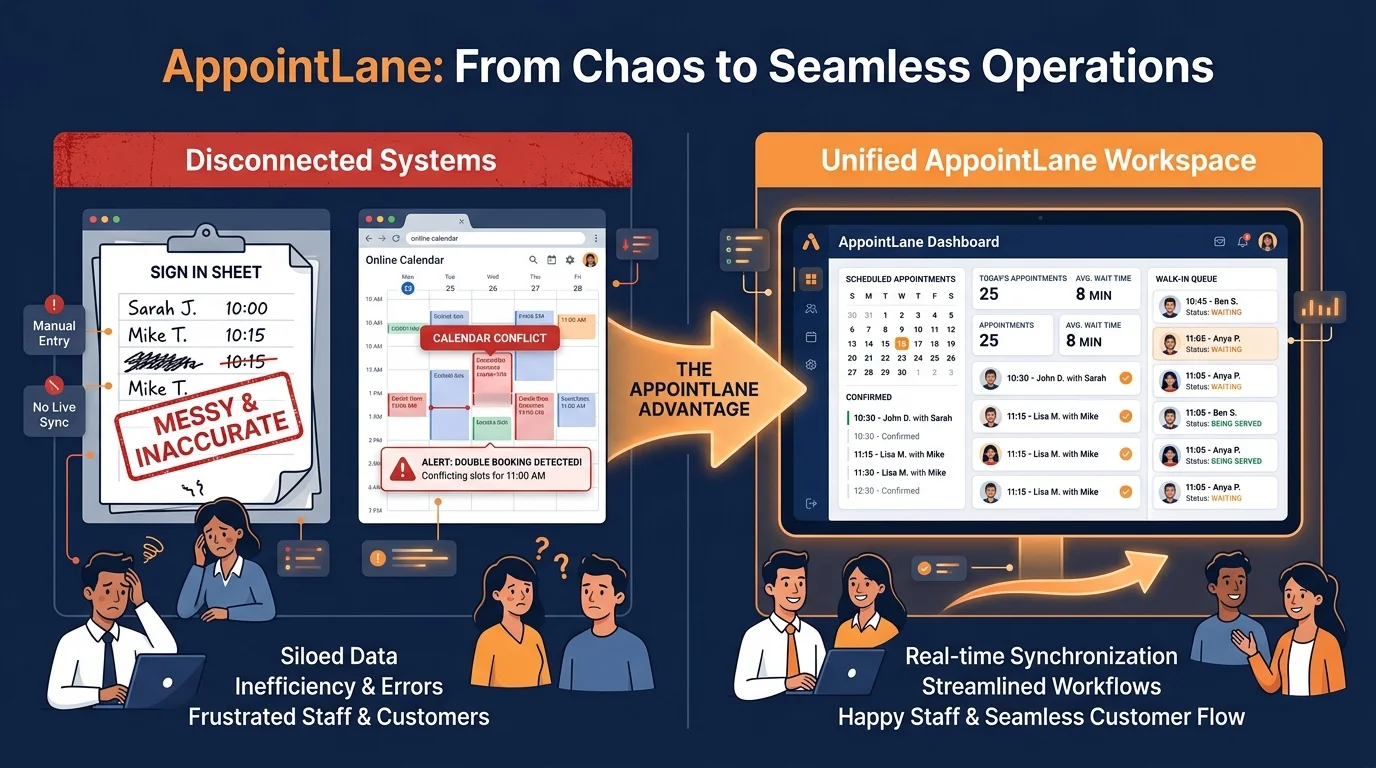
When appointments and walk-ins collide without a shared coordination layer, four predictable problems emerge:
- The "Front Desk Bottleneck": Receptionists spend their day fielding repetitive questions ("How much longer?", "Did my appointment get bumped?") instead of welcoming visitors and processing check-ins.
- Invisible Resource Bottlenecks: A specialist may appear "free" on the calendar, prompting reception to call a walk-in customer—only for a booked client to arrive two minutes later for a 60-minute consultation.
- Lobby Congestion and Anxious Waiting: Without visibility into queue progress, walk-in customers pace around crowded waiting areas, increasing tension and perceived wait times.
- Distorted Operational Data: When same-day walk-ins are recorded informally, managers cannot accurately measure true service durations, peak arrival windows, or staff utilization rates.
See the Complete Service Day in Real Time
Appointments reserve capacity for a particular time. A walk-in queue preserves an order for customers seeking service today. AppointLane presents both streams in the daily operations view so staff can see what is booked, who is waiting, who has arrived, and what needs attention next.
The streams remain operationally distinct. Queue position is not quietly converted into an appointment time, and an appointment is not silently placed behind every walk-in.
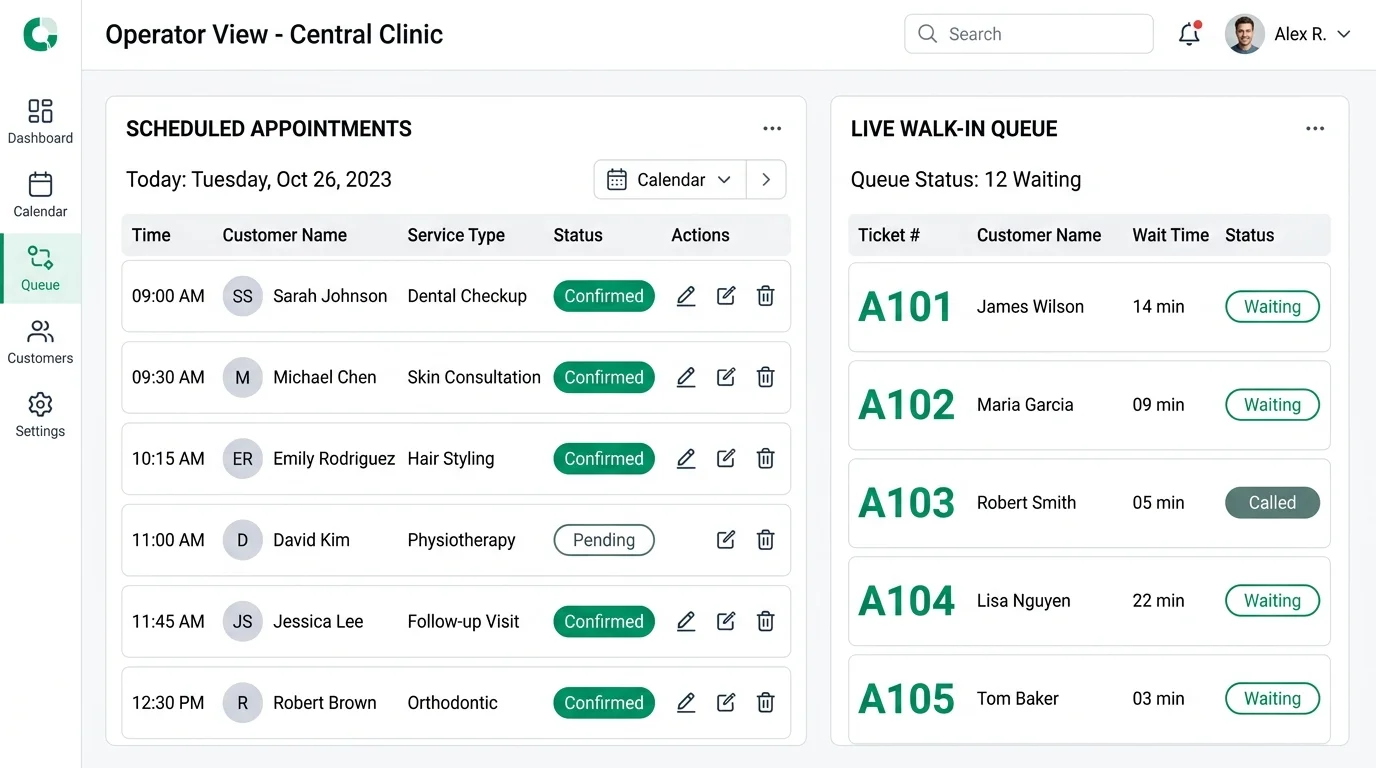
Authorized operators can filter the daily stream by location, service, assigned staff member, or visit status. When a specialist runs five minutes behind schedule, the system automatically recalculates wait-time estimates for subsequent walk-ins, keeping customer expectations grounded in reality.
Operational Comparison: Disconnected Tools vs. AppointLane
| Operational Factor | Disconnected Tools (Calendar + Buzzers) | AppointLane Unified Workspace |
|---|---|---|
| Capacity Management | Manual mental math; frequent overlapping bookings. | Automated multi-tier verification prevents double bookings. |
| Walk-In Check-In | Physical sign-in sheet or standalone buzzer device. | Contactless QR-code check-in via mobile browser; no app download. |
| Wait-Time Transparency | Guesswork; customers repeatedly ask front desk. | Dynamic countdown based on actual service durations and throughput. |
| Customer Mobility | Customers trapped in crowded waiting room. | Virtual web ticket lets customers wait outside, in cafes, or in their car. |
| Late Arrival Handling | Disrupts entire afternoon schedule unexpectedly. | Configurable grace periods and instant queue-resequencing controls. |
| Operational Reporting | Fragmented data across paper, calendar, and POS. | Comprehensive analytics on throughput, wait times, and peak hours. |
Give Each Customer the Right Expectation
Booked customers receive an appointment reference and a secure route to manage their visit. Walk-in customers receive a queue ticket, current status, number of people ahead, and an explicitly labelled wait estimate. Neither journey requires a customer application.
By decoupling physical presence from queueing, walk-ins can wait comfortably nearby—grabbing a coffee or running errands—while tracking their ticket on their smartphone. As their turn nears, AppointLane sends automated SMS or email alerts prompting them to return to reception.
Respond to the Day as It Changes
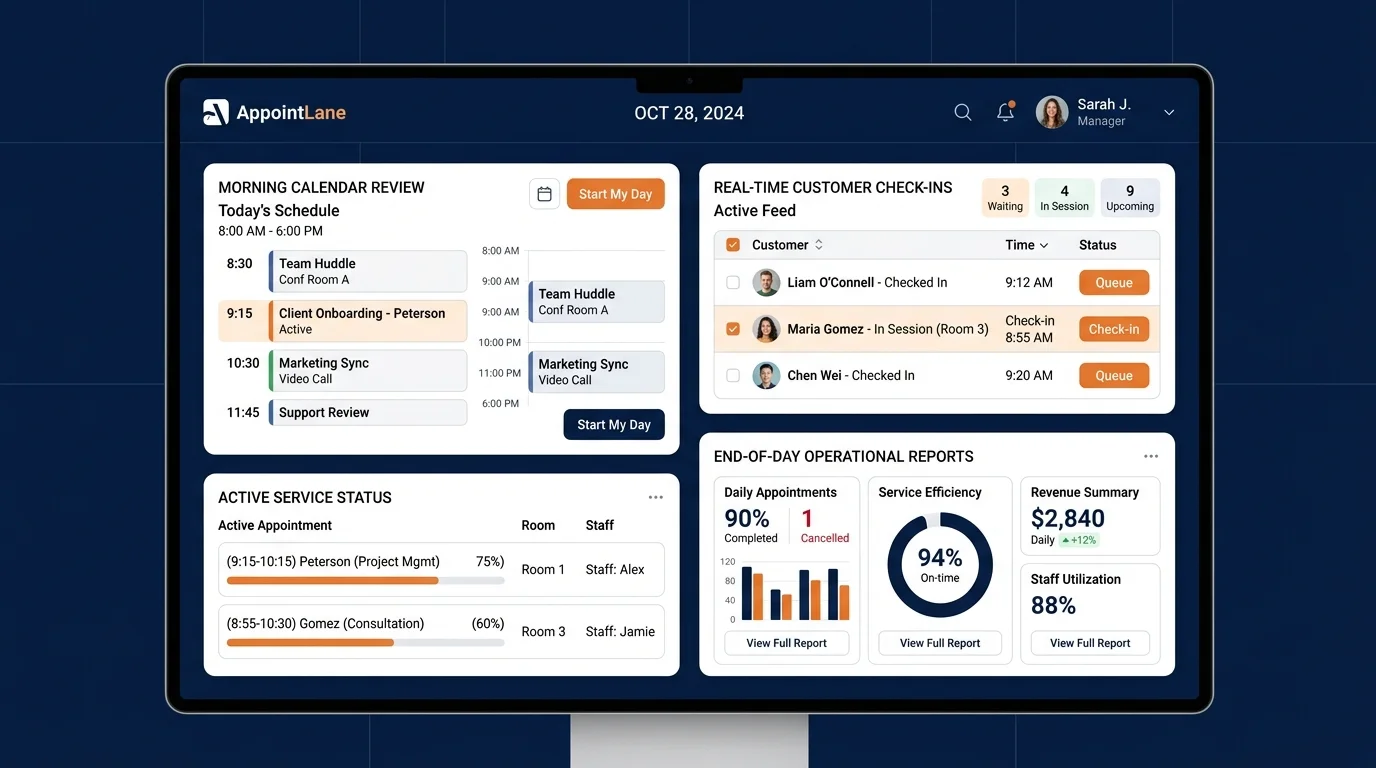
Staff can identify late or arrived appointments while operating the current queue. Authorized operators can call, recall, start, complete, skip, move, or cancel queue tickets with important changes recorded. Filters help a team focus on the relevant location, service, staff member, or status.
When an appointment cancels at the last minute or a client fails to show up, operators do not lose billable time. The newly freed capacity is immediately visible and can be allocated to the next waiting walk-in customer.
Configure Services Around Real Demand
A service can support appointments, walk-in queueing, or both. This lets an organization offer predictable bookings for one type of work while accepting same-day demand for another, rather than forcing the whole business into one model.
- Appointment-Only Services: High-touch consultations, comprehensive diagnostic assessments, or complex surgical procedures requiring dedicated preparation and room setups.
- Walk-In Queue Services: Routine maintenance, express blood draws, drop-offs, prescription pick-ups, or quick advisory questions.
- Hybrid Services: Standard consultations where advance reservations are encouraged, but same-day walk-in capacity is dynamically released when schedules permit.
Five Rules for an Explicit Operating Policy
Before rolling out a hybrid booking and queue workflow, successful service organizations define clear operational rules:
- Decide service allocation: Choose which services are strictly bookable, queue-based, or hybrid.
- Define appointment promises: Clarify how arrival buffers are structured and how late arrivals are handled.
- Establish queue rules: Define queue ordering and audit conditions under which staff may make an authorized priority override.
- Set realistic parameters: Configure realistic service durations, staff buffers, location capacities, and customer preparation notes.
- Verify the end-to-end flow: Test both customer mobile journeys and the combined staff operational dashboard before going live.
For deeper operational strategies, read our step-by-step guide on how to manage appointments and walk-ins together, learn proven techniques to reduce customer waiting time, or compare delivery models in appointments vs. walk-ins.
Where AppointLane Fits
AppointLane is purpose-built for service organizations that operate physical locations and need to coordinate scheduled appointments with same-day walk-in visitors. It provides:
- An embeddable online appointment booking widget with real-time capacity validation.
- A contactless walk-in queue management system with live mobile tickets and dynamic wait estimates.
- A unified "Today" operational desk that brings both streams into a single responsive view.
- Multi-location and multi-provider scheduling with service-specific buffers and working hours.
- Automated SMS and email notifications for booking confirmations, reminders, and queue call alerts.
What AppointLane Does Not Do
To maintain reliability and simplicity, AppointLane focuses strictly on scheduling, queue operations, and visit intake. It does not:
- Act as a clinical electronic health record (EHR) or medical diagnostic tool.
- Provide general inventory or parts warehouse management.
- Act as a merchant bank or hold client funds in escrow.
- Require customers or patients to download an iOS or Android app to join a queue or book a time.
Frequently Asked Questions
What is the difference between appointment booking and walk-in queue management?
Appointment booking reserves a specific time slot on a provider's calendar in advance. Walk-in queue management preserves a fair, chronological order for customers who arrive same-day without a prior reservation. Combining both ensures staff can honor scheduled times without turning away unscheduled demand.
How does AppointLane prevent walk-ins from taking booked appointment slots?
AppointLane operates an intelligent dual-stream capacity model. Live queues only call next-in-line visitors when an active provider is not currently reserved for an incoming scheduled appointment, preventing double bookings and capacity overlaps.
Do walk-in customers need to download an application to join the queue?
No. Customers scan a simple QR code at your reception or click a public link in their mobile browser. They receive a live digital ticket showing their position, estimated wait time, and automated SMS/email alerts when their turn approaches.
What happens if a booked appointment arrives late while walk-in clients are waiting?
Staff maintain full operational control. Organizations can define custom grace periods (e.g., 10 minutes). If a client fails to show up, operators can adjust ticket priority, initiate a walk-in consultation, or offer newly opened capacity to standby clients.
Can different staff members be assigned to appointments versus walk-ins?
Yes. AppointLane supports granular service and provider routing. You can dedicate specific team members exclusively to scheduled consultations, allocate others to the walk-in desk, or allow cross-functional staff to serve both streams dynamically based on real-time waiting load.
How are wait times calculated when mixing scheduled and walk-in visitors?
Wait times are calculated based on the number of waiting tickets ahead, average historical service durations, the number of active staff serving the queue, and upcoming scheduled appointment arrival times.
Can AppointLane manage multiple service locations from one account?
Yes. Organizations can set up multiple physical locations, each with its own independent service menus, operating hours, staff rosters, queue rules, and booking settings.
How does a unified workspace improve customer satisfaction and reduce waiting room crowding?
By giving walk-ins remote mobile tickets and transparent wait estimates, customers do not need to remain crowded in physical waiting rooms. Meanwhile, booked clients enjoy on-time consultations without awkward lobby congestion or staff confusion.