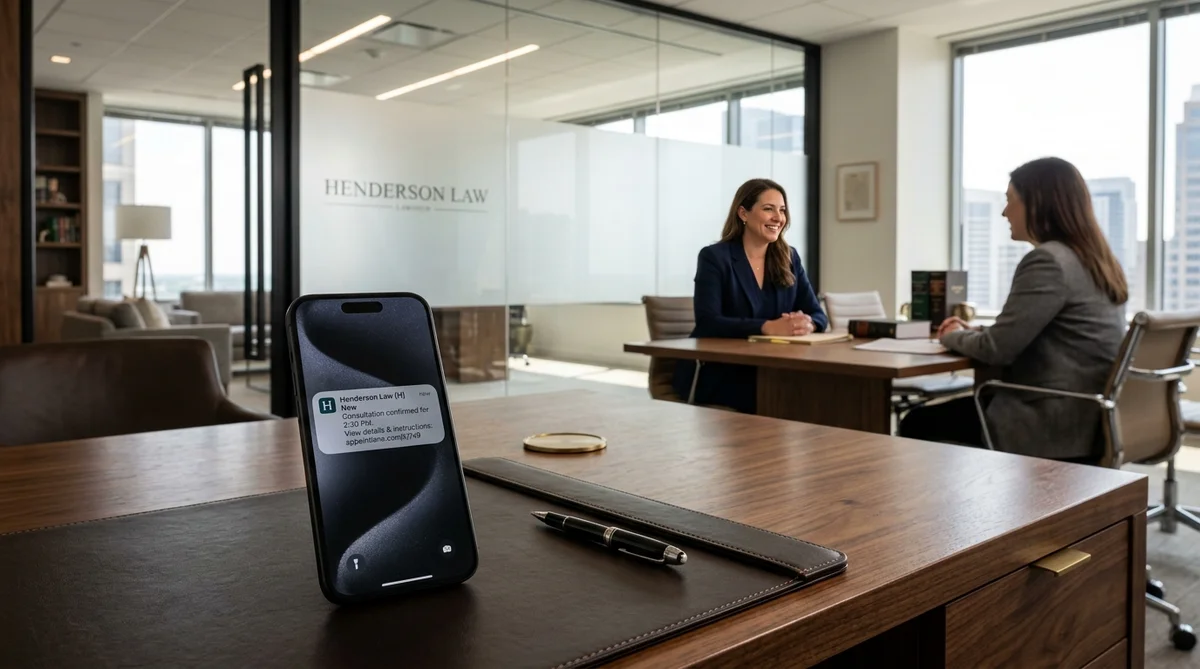
An appointment reminder for a law firm is a short message that tells a client the date, time, and place of their consultation, and how to change it. Send it by text or email, keep it neutral, and never include case details.
This guide gives you copy-ready examples, simple timing rules, and a clear way to start with automation. It works for law firms, solo lawyers, solicitors, advocates, legal consultants, notaries, and other legal service teams.
Key Takeaways
- Send three messages: confirmation, planning reminder, and a short last reminder.
- Use text for short reminders and email for details.
- Never put the case type, names, or private facts in a message.
- Say if a booking is confirmed or only requested.
- Always include a way to confirm, change, or cancel.
- Test every message on a real phone before you automate it.
What Is the Purpose of an Appointment Reminder?
A reminder has one job: help the client arrive on time, prepared, or tell you early that they cannot come.
When clients miss meetings, the firm loses time that it cannot sell again. This is true most of all for first-time clients, who may never call again. A study of 67 treatment centers, described by Attorney at Law Magazine, found that reminder calls cut missed visits by about 19% on average. That study is from healthcare, not law, but the idea is the same for any appointment. Your own numbers matter more, so track missed consultations before and after you start. Discover additional proven methods to reduce appointment no-shows.
Who Can Use These Templates
- Law firms and solo lawyers (attorneys, solicitors, advocates)
- Legal consultants and legal advisors
- Immigration, tax, and property consultants
- Notaries and document services
- Legal aid clinics and community advice centers
- Paralegals and front-desk teams
Change the words to fit your service and your local rules.
How Should Appointment Reminders Be Given?
Pick the channel by the job. Do not use all of them for every message.
| Channel | Best for | Watch out for |
|---|---|---|
| Text (SMS) | Short reminders with time and a link | Message previews on lock screens; consent rules |
| Confirmation, preparation steps, directions | Can be missed; do not ask for sensitive files by reply | |
| Phone call | Urgent or high-value appointments, or clients without a smartphone | Takes staff time |
| Messaging apps (e.g. WhatsApp) | Where clients already use them | Same privacy and consent rules apply |
| Calendar invite | Online meetings | Do not put private details in the title |
The 3-Message Plan
Start here. Then adjust using your own numbers.
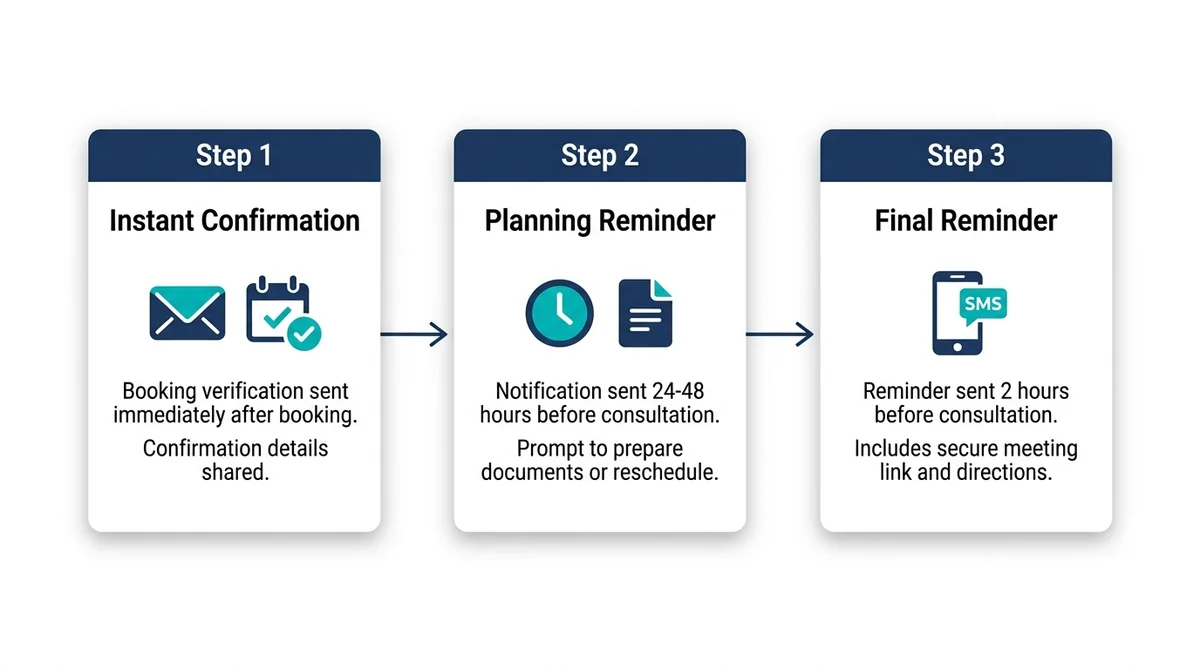
| Message | Why you send it | Example timing |
|---|---|---|
| Confirmation | Confirms the booking and meeting method | Right after the booking is confirmed |
| Planning reminder | Gives time to prepare or change plans | 1 or 2 business days before |
| Last reminder | Stops simple time mistakes | A few hours before |
One small law office, writing in Attorney at Law Magazine, says it sends two texts: one the evening before and one an hour before the appointment, with different words for office meetings and court appearances. Treat this as one example, not a rule.
Also think about your office hours. If a client replies "I need to change it" when nobody is there, the reminder only creates stress.
Appointment Reminder Templates for Law Firms (Email)
1. Confirmation email
Subject: Consultation confirmed for {{date}}
Hello {{client_first_name}},
Your {{consultation_type}} with {{firm_name}} is confirmed for {{date}} at {{time}} {{timezone}}.
Place or meeting method: {{location_or_meeting_instructions}}
Time needed: {{duration}}
What to prepare: {{short_preparation_instruction}}
To see the details or ask for a change, use your secure link: {{management_link}}
Questions? Contact {{firm_contact}}.
This message only confirms an appointment. It does not change any agreement with the firm.
2. "We received your request" email (not confirmed yet)
Subject: We received your consultation request
Hello {{client_first_name}},
We received your request for a {{consultation_type}} on {{requested_date}} at {{requested_time}} {{timezone}}. This time is not confirmed yet.
Our team will check the request and send you a second message. If your date is urgent, please contact {{firm_contact}}.
Reference: {{booking_reference}}
Do not write "confirmed" while your team is still checking availability, suitability, or conflicts. Review our law firm client onboarding checklist for proper qualification procedures.
3. Planning reminder email
Subject: Your consultation with {{firm_name}} is on {{date}}
Hello {{client_first_name}},
This is a reminder of your {{consultation_type}} on {{date}} at {{time}} {{timezone}}.
Meeting details: {{location_or_meeting_instructions}}
Before the meeting: {{short_preparation_instruction}}
If this time no longer works, use your secure link: {{management_link}}
Questions about attending? Contact {{firm_contact}}.
Keep the "prepare" line short. For documents or personal details, send the client to your approved secure process.
Appointment Reminder Text Message Examples for Lawyers
Text messages show up on phones you do not control. Keep them short and neutral.
Day before
{{firm_name}}: Reminder of your consultation on {{date}} at {{time}} {{timezone}}. View or change: {{short_management_link}}. Help: {{firm_phone}}. Reply STOP to opt out where applicable.
Same day
{{firm_name}}: Your consultation is today at {{time}} {{timezone}}. Details: {{short_management_link}}. Call {{firm_phone}} if you cannot attend.
Online consultation
{{firm_name}}: Your online consultation is on {{date}} at {{time}} {{timezone}}. Open the secure page for joining steps: {{short_management_link}}.
Time changed
{{firm_name}}: Your consultation has moved to {{new_date}} at {{new_time}} {{timezone}}. See the new details: {{short_management_link}}.
Two-way reply (only if your tool supports replies)
{{firm_name}}: Your consultation is on {{date}} at {{time}} {{timezone}}. Reply CONFIRM to keep it or RESCHEDULE to change it.
Document signing
{{firm_name}}: Your appointment to sign documents is on {{date}} at {{time}} {{timezone}}. Location: {{short_management_link}}. Questions: {{firm_phone}}.
What Not to Write in a Reminder
Do not include:
- Names of the other party
- Type of case (for example, divorce, criminal, or immigration)
- Allegations, health details, or immigration status
- Promises such as "we will represent you"
- Pressure words
A message can show on a lock screen, or on a phone shared with family. The American Bar Association has written about texting with clients in ABA Formal Ethics guidance. It emphasizes that while a basic meeting reminder suits a text message, longer or more private messages do not, and warns of the confidentiality hazards of shared devices, message previews, and synced cloud accounts.
How to Keep Client Details Safe
- Put the firm name and time first. Put nothing private in the first words.
- Keep private details behind a secure link, not in the message.
- Ask clients to use your approved upload process for documents.
- Use neutral calendar titles, such as "Consultation – {{firm_name}}".
Consent and Opt-Out
- Record which channels the person agreed to (email, text, or other).
- Keep service messages (reminders) separate from marketing messages.
- Stop sending when a person opts out, and watch for failed deliveries.
For automatic texts in the US, get advice on the rules that apply to your messages. The FCC rules state that recipients can withdraw consent in reasonable ways, and replying with a text like "STOP" is a widely accepted way. In other countries, check local rules on messaging, consent, and data protection (such as the UK GDPR and PECR regulations).
Plan for these cases:
- An email bounces.
- A phone number now belongs to someone else.
- A client stops texts but accepts email.
- Staff moves an appointment close to the start time.
- The booking is still "pending", not "confirmed".
Automated Appointment Reminder System: Manual or Automatic?
| Feature / Capability | Manual (calendar and phone) | Automatic (software) |
|---|---|---|
| Staff time | High | Low |
| Consistency | Depends on one person | Same every time |
| Reschedule link | Usually none | Yes, in the message |
| Updates when time changes | By hand | Automatic |
| Best for | Very few appointments | Regular consultations |
How to Set a Reminder for an Appointment
In a small practice, this is the basic setup:
- Create each consultation type with its length and place.
- Set your real available times.
- Turn on a confirmation and one or two reminders.
- Add a secure link for changes and cancellations.
- Test with a fake client before you go live.
Choose a Reminder System: A Checklist
Before you choose any scheduling app with text reminders, ask:
- Does it send both text and email?
- Does it connect reminders to real availability, so clients cannot book a taken slot?
- Can the client confirm, change, or cancel from the message?
- Can you control the wording so no case details appear?
- Does it handle pending and confirmed bookings differently?
- Does it record opt-outs and failed deliveries?
- Can your team see updates at once?
- What are the message limits and costs on each plan?
- Is the client able to use it without installing an app?
How AppointLane Helps
AppointLane connects confirmations and reminders to your real availability, approval status, and secure client links. Clients can view or change their booking from one page, and your team sees the update right away. You can also collect intake information and manage a walk-in queue in the same place.
- Law firms and lawyers: Online booking for law firms
- Solicitors (UK): Workflow for solicitors
- Walk-in clients: Walk-in queue management for legal consultants
- Combined scheduling: Appointment and walk-in management
- Plans and pricing: Pricing · Account: Log in · Start free trial
Free Appointment Reminders for Law Firms: Ways to Start
You can start without paying:
- Calendar reminders: Set an alert for your staff to send or call. This is free, but it still depends on a person.
- Free trial: Test a tool with fake clients first. AppointLane offers a 14-day free trial.
- Free plan: Some tools have a free plan with limits. AppointLane lists a Free Plan for a single location. Check message limits and text costs before you rely on it.
A free tool should still protect privacy and let clients opt out. Do not give up those two things to save money.
Tips for Scheduling Appointments Effectively
- Set the length of each consultation type, so slots are realistic.
- Leave a short gap between meetings.
- Show only the times you can really offer.
- Ask for the minimum information at booking.
- Review your missed consultations every month.
- Keep a waitlist, so cancelled slots can be filled. Learn how in our guide on how to manage appointment waitlists.
Common Mistakes
- Calling a request "confirmed" too early
- Long texts with private details
- Reminders at night or when the office is closed
- No way to reschedule inside the message
- Texting after an opt-out
- Never testing the links
Test Before You Turn On Automation
Use fake client records. Check each message on a locked phone, a desktop inbox, and a small screen. Then test the full path:
- Open the management link.
- Check that it shows only that client's appointment.
- Ask to cancel or change the time.
- Check that your team sees the new status.
- Check that the old reminder does not send for the old time.
Frequently Asked Questions
How should appointment reminders be given?
Use text for short reminders and email for details. Add a phone call for urgent or high-value meetings. Always include a way to confirm, change, or cancel.
What should a lawyer appointment reminder include?
Include the firm name, date, time, time zone, place or online link, one short "what to prepare" line, and a way to change the booking. Leave out case details.
How many reminders should a law firm send?
Three is a good start: a confirmation, a reminder one or two business days before, and a short reminder a few hours before. Adjust it using your own numbers.
Can you give some examples of reminder messages?
Yes. See the email and text examples above, including day-before, same-day, online, time-changed, and document-signing messages.
Is it okay for lawyers to send reminders by text?
Often yes, for simple meeting reminders. Keep texts short and neutral, send private details by secure link, and check your local professional and consent rules.
Can a reminder include case details?
It is safer not to. Phones show previews and can be shared. Use a secure page for anything private.
What is the difference between a confirmation and a reminder?
A confirmation says the booking is accepted. A reminder is sent later to help the client remember. If the booking is still being checked, send a "request received" message.
Is there a free appointment reminder system for law firms?
You can start with calendar alerts, a free trial, or a free plan. Check message limits, text costs, privacy controls, and opt-out handling first.
What is a good text reminder system for a small law office?
Look for text and email, a secure change link, control over wording, opt-out handling, and real-time availability. Use the checklist above.
Do I need consent to send automatic reminders?
Often yes. Rules depend on your country, the channel, and the message type. Keep a record of the client's choice and include a clear way to opt out.
How do appointment reminders reduce law firm no-shows?
Reminders eliminate simple forgetfulness, provide advance notice if a client needs to cancel, and give the firm time to offer opened slots to clients waiting on a cancellation waitlist. Explore operational methods to reduce customer waiting time.
Are these templates legal advice?
No. They are starting points. Review them against your local rules, professional duties, and the tools you use.
Start Sending Better Reminders
See how AppointLane connects availability, approval, reminders, and intake in one workflow.
Start your 14-day free trial · Explore AppointLane for law firms · Contact us
Related reading: