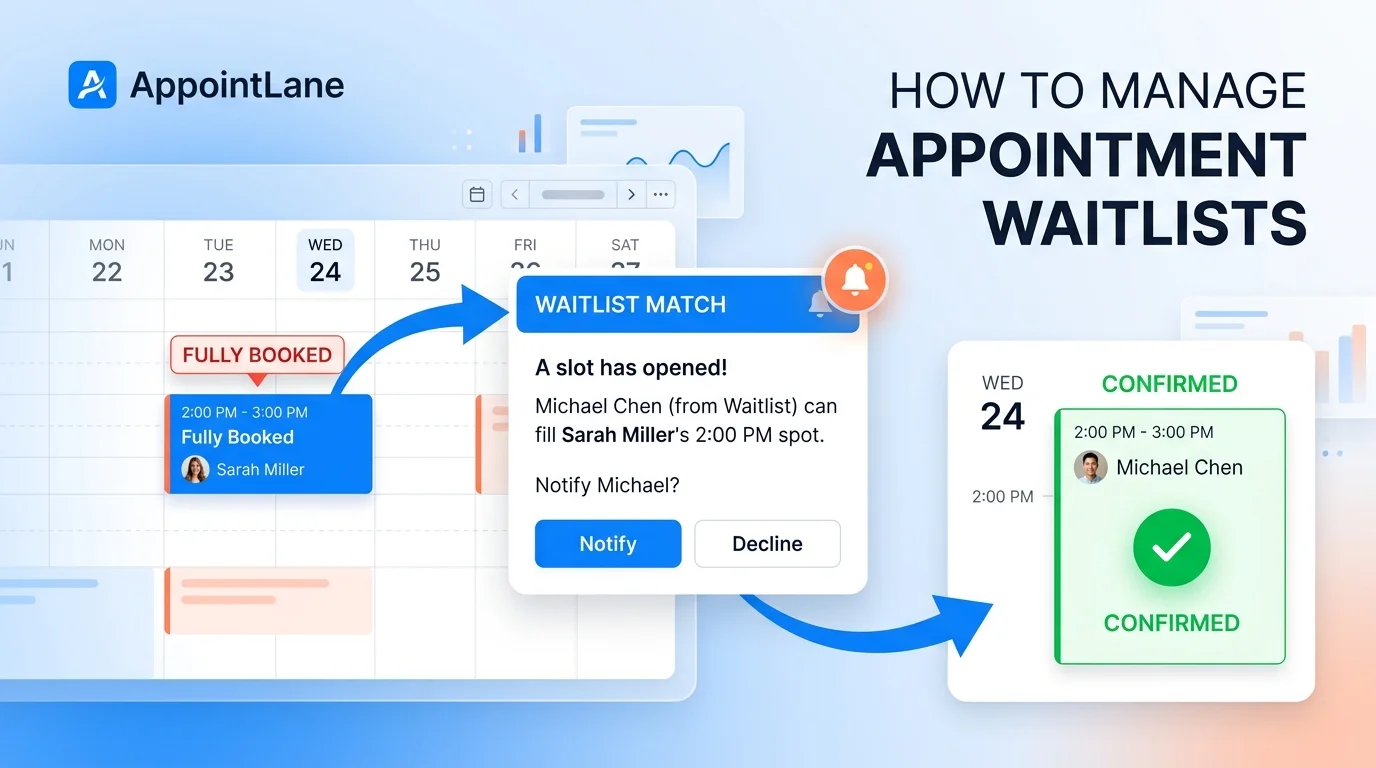
An appointment waitlist is a structured system that allows businesses to capture customer demand when schedules are full and automatically offer newly opened slots to interested clients. Instead of losing revenue to last-minute cancellations or no-shows, businesses can use waitlists to keep their calendars optimized and their customers satisfied.
This guide explains exactly how to set up, automate, and manage appointment waitlists effectively, using modern scheduling tools to eliminate manual guesswork.
Table of Contents
- Why Waitlists Are Essential for Business Growth
- Step-by-Step: How to Set Up an Effective Appointment Waitlist
- Step 1: Choose an Automated Waitlist System
- Step 2: Capture the Right Customer Preferences
- Step 3: Establish Clear Waitlist Rules and Expiration
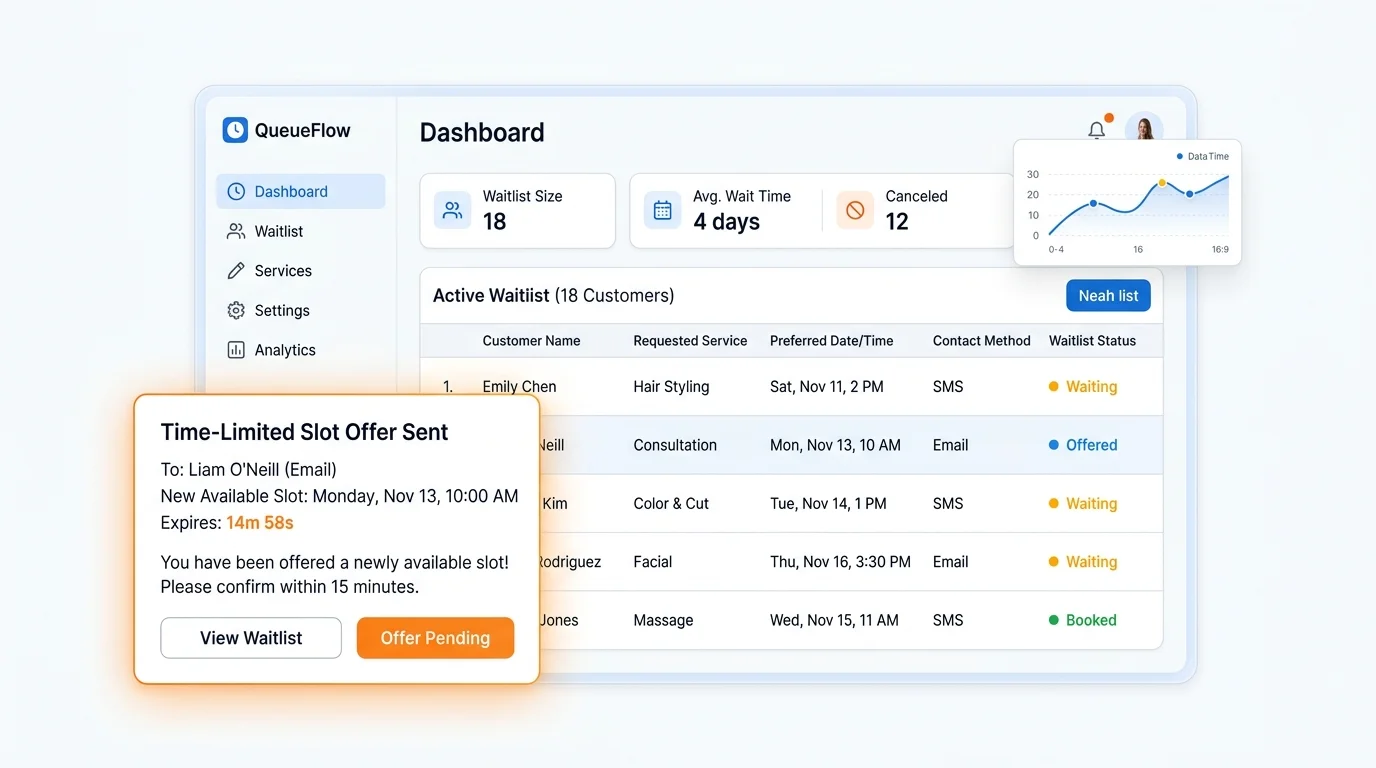
- Step 4: Automate Time-Limited Offers
- Step 5: Confirm and Update the Schedule Seamlessly
- Best Practices for Waitlist Management
- Common Waitlist Mistakes to Avoid
- Conclusion
Why Waitlists Are Essential for Business Growth
Managing a fully booked schedule is a good problem to have, but cancellations are inevitable. Without a waitlist, a last-minute cancellation results in lost revenue and idle staff time.
Implementing a structured waitlist provides three major advantages:
- Revenue recovery: Fill unexpected gaps in your schedule immediately, maximizing staff utilization.
- Improved Customer Experience: Customers who want to see you sooner appreciate being proactively notified, rather than being told to "check back later."
- Demand Insights: A robust waitlist acts as a market signal, showing you which services, staff members, or time slots are in highest demand, helping you make informed hiring or scheduling decisions.
Step-by-Step: How to Set Up an Effective Appointment Waitlist
Managing waitlists manually via phone calls or spreadsheets is prone to errors and double-booking. Here is how to build a fair, automated process.
Step 1: Choose an Automated Waitlist System
The foundation of a good waitlist is automated scheduling software that integrates directly with your calendar. Systems like AppointLane allow customers to join a cancellation waitlist and offer eligible customers available slots through secure, time-limited links. This ensures that the system knows exactly who is waiting and what they are waiting for.
Step 2: Capture the Right Customer Preferences
When a customer joins a waitlist, do not just collect their name and phone number. To make effective matches, your system should record specific preferences, such as:
- The specific service requested
- Preferred staff member (if applicable)
- Acceptable date ranges or days of the week
- Location (for multi-location businesses)
A proper cancellation waitlist can record the subject, provider preference, location, and acceptable date range without pretending an appointment already exists.
Step 3: Establish Clear Waitlist Rules and Expiration
Transparency prevents frustration. Clearly communicate to customers how the waitlist works:
- No Guarantees: Make it clear that joining the waitlist does not guarantee an appointment.
- Time-Limited Offers: Explain that if a slot opens, they will receive a notification with a limited window (e.g., 2 to 4 hours) to claim it.
- Opt-Out Simplicity: Provide an easy way for customers to remove themselves from the list if their plans change.
Step 4: Automate Time-Limited Offers
When a cancellation occurs, the software should instantly identify the best match from the waitlist and send an automated notification (via email or SMS).
Crucially, the system should offer newly opened appointment times without turning a waitlist request into a hidden booking. The customer must actively click a secure link to claim the slot. If they do not respond within the time limit, the offer expires, and the slot automatically rolls over to the next person on the list.
Step 5: Confirm and Update the Schedule Seamlessly
Once a waitlist customer accepts the offer, the system should instantly:
- Convert the waitlist entry into a confirmed appointment.
- Send a standard booking confirmation and reminder.
- Remove the customer from all other active waitlists for that service to prevent duplicate bookings.
Best Practices for Waitlist Management
To ensure your waitlist builds trust rather than frustration, follow these operational best practices:
- Keep the List Short and Active: Regularly purge old waitlist requests (e.g., older than 30–60 days) to ensure you are only contacting people who still want an appointment.
- Prioritize Fairly: Use a first-come, first-served model, or allow priority for high-value clients or urgent cases, but ensure the logic is consistent and defensible.
- Match Accurately: Only offer slots that perfectly match the customer’s requested service and provider. Offering a 30-minute slot to someone waiting for a 60-minute service creates operational chaos.
- Build a Fair Process: Design your workflow to handle full schedules, cancellation waitlists, expiring offers, and customer communication without overbooking.
Common Waitlist Mistakes to Avoid
- Manual Tracking: Using a notebook or spreadsheet to manage waitlists leads to missed calls, double-bookings, and frustrated customers.
- Auto-Booking Without Consent: Never automatically assign a canceled slot to a waitlisted customer without their explicit approval. This can result in no-shows if the time no longer works for them.
- Ghosting the Waitlist: Failing to notify customers when their requested time frame has passed and they are being removed from the list.
- Overpromising: Telling a customer they will "definitely" get an appointment next week just to get them off the phone. Always frame it as a possibility.
Frequently Asked Questions
1. What is an appointment waitlist?
An appointment waitlist is a system that allows customers to express interest in a fully booked service. When a cancellation occurs, the business can quickly offer the newly available slot to someone on the list.
2. Should I automatically book a customer from the waitlist when a slot opens?
No. Best practice is to send a time-limited offer (e.g., valid for 2 hours) that the customer must actively accept. This prevents booking someone at a time that no longer works for them, which would result in another cancellation.
3. What information should I collect for a waitlist?
At a minimum, collect the customer’s name, phone number, email, requested service, preferred provider, and a general timeframe of when they are available.
4. How do I prevent waitlist customers from being double-booked?
Use automated scheduling software that instantly removes a customer from all active waitlists and blocks their calendar the moment they accept a time-limited offer.
5. Can waitlists be used for both appointments and walk-ins?
Yes. While traditional waitlists focus on appointment cancellations, similar logic can be applied to same-day walk-in queues, where customers are notified when their estimated wait time decreases, or a staff member becomes available.
Conclusion
Managing appointment waitlists does not have to be a manual, stressful task. By implementing an automated system, you can turn frustrating cancellations into opportunities to delight customers and protect your revenue.
The key is to capture the right preferences, communicate clearly, and use secure, time-limited offers to fill your calendar efficiently.
Ready to eliminate empty slots and streamline your scheduling? Explore AppointLane’s Waitlist and Booking Features